Selecting the right IP phones for call centers can lift agent productivity, cut dropped calls, and keep customers happier through every shift. In a busy contact centre, the handset is the single tool agents touch thousands of times a day, so getting it right in 2026 is not a detail — it is a performance decision. This guide covers what makes a deskphone truly call-centre ready, from BLF keys and headset support to codec quality and rugged durability.
Call centres punish weak hardware. Agents transfer, hold, conference, and monitor queues constantly, so cheap phones with laggy screens or flimsy keys create friction that adds up across hundreds of interactions. The best VoIP handsets remove that friction and let agents focus on the caller, not the device.
What Makes a Good Call Center IP Phone?
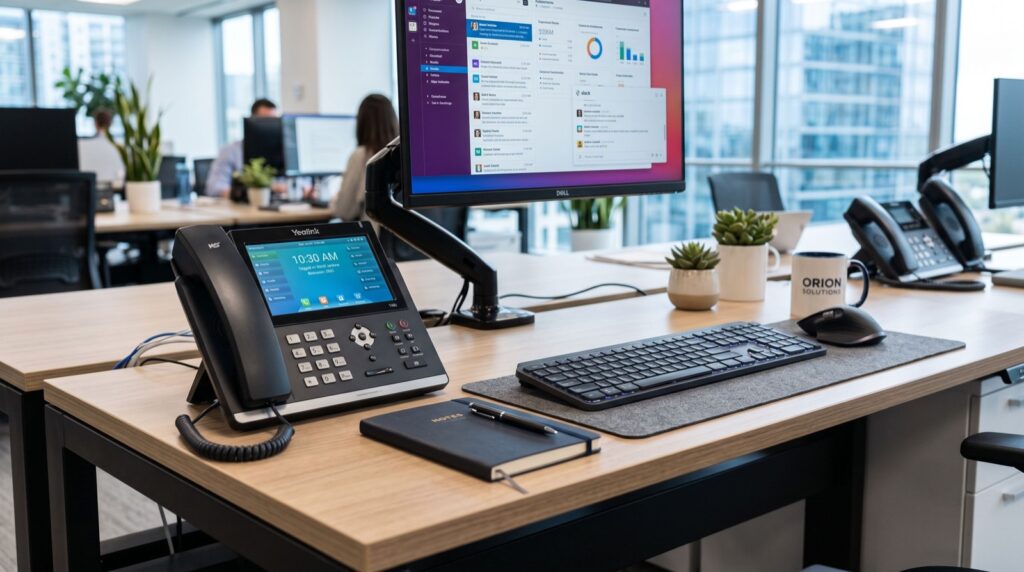
A contact-centre handset must do a handful of things exceptionally well. It has to show queue and colleague status at a glance, support all-day headset use, and survive years of heavy handling. Anything less slows agents and frustrates supervisors watching service levels.
Prioritise these core capabilities when you build a shortlist:
- Busy Lamp Field (BLF) keys to see who is free and transfer instantly.
- Headset support — EHS, USB, and Bluetooth for comfortable all-day wear.
- HD wideband audio so agents hear callers clearly in noisy rooms.
- Large colour display for queues, caller ID, and prompts.
- Programmable keys and expansion modules for supervisors.
- Gigabit PoE to power the phone and keep the network fast.
- Robust build quality for constant, high-volume use.
For high-density agent floors and supervisor desks, a flagship model shines. The Fanvil X210 combines a large colour screen, generous programmable keys, a smart side panel, and Gigabit connectivity — everything a busy agent needs to manage volume without slowing down.
How Do IP Phones Improve Call Center Performance?
Every second an agent saves per call multiplies across a shift. IP phones with fast, responsive interfaces and one-touch transfers shave time off average handling, directly improving service levels and lowering cost per contact. BLF keys let agents blind-transfer to an available colleague without dialling, reducing hold times.
HD audio also matters more than teams expect. Clearer calls mean fewer repeats, less mishearing of order numbers or addresses, and lower agent fatigue. Combine that with a comfortable headset and agents stay sharper deeper into their shift. When you deploy at scale, an fanvil ip phones lineup gives you a consistent, provisioning-friendly fleet across every seat.
Comparing Handset Roles on the Floor
A smart call-centre buildout mixes handset roles rather than buying one model for everyone. Agents, supervisors, and hot-desking staff have different needs, and matching the phone to the seat controls cost while boosting productivity.
| Role | Priority features | Display | Headset need |
|---|---|---|---|
| Front-line agent | HD audio, quick transfer, durability | Colour LCD | EHS or USB, all-day |
| Supervisor | Many BLF keys, monitoring, expansion module | Large colour | Bluetooth or USB |
| Team lead | Conferencing, call barge, presence | Colour touchscreen | Bluetooth |
| Hot-desk / overflow | Fast login, auto-provision | Colour | USB |
Setting Up IP Phones for a Call Center
Rolling out dozens or hundreds of handsets demands a repeatable process. Manual configuration does not scale, so lean on auto-provisioning and template-driven setup from the start. The Session Initiation Protocol that these phones use is defined in the standard IETF RFC 3261, ensuring every handset registers reliably with your PBX or ACD.
- Design your dial plan — queues, skills-based routing, and overflow rules.
- Build a provisioning template so every phone pulls its config automatically.
- Segment the network with a voice VLAN and QoS for jitter-free audio.
- Size PoE switches for the full agent count plus headroom.
- Test headsets and BLF keys before agents go live.
- Pilot one team, measure call quality, then scale to the floor.
For a smooth, downtime-free deployment, partner with dependable specialists who can pre-stage provisioning servers, firmware, and QoS policies so your agents plug in and start taking calls on day one.
Practical Tips From High-Volume Deployments
A few field-tested habits separate smooth call-centre rollouts from painful ones. First, standardise on one handset family so firmware, provisioning, and spare parts stay simple. Second, keep a stock of swap units — a five-minute handset replacement protects service levels far better than an RMA queue.
Third, invest in quality headsets, not just phones; agents live in their headsets, and a comfortable, noise-cancelling model reduces fatigue and repeated calls. Finally, label and document every VLAN, provisioning URL, and firmware version so onboarding new agents and troubleshooting stay fast.
One more lesson from the floor: stage firmware updates in a small test group before pushing them fleet-wide. A firmware change that subtly alters headset behaviour or key mapping can disrupt an entire shift if rolled out blind. Test, confirm, then deploy during a quiet window so service levels never take a hit.
Measuring the Impact of Better Handsets
Upgrading hardware should show up in your metrics, not just anecdotes. Track average handling time, transfer success rate, and first-call resolution before and after a rollout. Faster one-touch transfers and clearer audio typically trim seconds off every interaction, and those seconds compound across thousands of daily calls.
Agent satisfaction is a quieter but equally important signal. Comfortable headsets, responsive screens, and reliable BLF keys reduce daily friction, which lowers burnout and turnover — a major hidden cost in any contact centre. When you review the numbers a month after deployment, the productivity gains usually justify the investment several times over.
- Average handling time — should fall with faster transfers and clearer audio.
- Transfer accuracy — BLF keys reduce misdirected calls.
- First-call resolution — clearer audio means fewer repeats and callbacks.
- Agent satisfaction — comfortable hardware cuts fatigue and turnover.
Frequently Asked Questions
How many BLF keys does a call center phone need?
Agents usually manage well with eight to twenty programmable keys, while supervisors monitoring whole teams benefit from expansion modules that add dozens more. Match key count to how many colleagues each person needs to see and transfer to quickly.
Do call center agents need Bluetooth or wired headsets?
Both work well. Wired USB and EHS headsets are reliable and never need charging, while Bluetooth offers freedom of movement. For all-day use, prioritise comfort, noise cancellation, and a mono option so agents stay aware of the room.
Can IP phones integrate with our CRM and ACD?
Yes. Standards-based SIP handsets work with mainstream ACD platforms and, through the PBX or middleware, support screen pops and click-to-dial from popular CRMs. Confirm integration paths with your provider before rollout.
How do I keep audio quality high on a busy floor?
Use a dedicated voice VLAN, apply QoS to prioritise call traffic, choose HD wideband codecs, and size bandwidth for concurrent calls. Quality headsets and PoE switches with enough headroom round out a jitter-free setup.
Equip Your Agents for 2026
The right IP phones for call centers turn every seat into a productivity engine: faster transfers, clearer audio, comfortable headsets, and a fleet that provisions itself. Match handsets to roles, lean on auto-provisioning, and protect call quality with a proper voice network, and your service levels will climb.
Ready to build a contact centre that runs smoothly under pressure? Reach out for a tailored quote on agent and supervisor handsets, and let a specialist help you design a phone system your team will love using every shift.